☁️ What Is Cloud Computing? (And Why Your Entire Digital Life Depends on It More Than Your Willpower)
What Is Cloud Computing? How It Works, Types, Benefits & Why Your Digital Life Depends on It
You probably use cloud computing every day without calling it that. You use Google Drive when your phone storage is full, Netflix when you’re watching the same sitcom for the 47th time, Instagram when you upload a photo, and WhatsApp backups when you refuse to delete a conversation from 2019. Meanwhile, inside massive data centres, thousands of computers quietly do the actual work. Welcome to cloud computing. And no, your photos are not floating inside an actual cloud. Although, considering how many questionable selfies are stored online, that cloud would probably need its own weather system.
What Is Cloud Computing?
Cloud computing is the delivery of computing resources—such as servers, storage, databases, networking, software and computing power—over the internet on demand. Instead of buying and maintaining your own physical servers, you can use infrastructure operated by a cloud provider.
In simpler language:
Cloud computing lets you rent computing power and digital infrastructure instead of buying the entire computer factory yourself.
Think about electricity. You don’t build a power plant in your backyard every time you want to charge your phone. You simply use electricity and pay for what you consume. Cloud computing follows a similar idea. Need storage? Rent it. Need computing power? Rent it. Need a database or powerful GPUs to train an AI model? Rent those too. Your laptop can finally stop pretending it was built for everything.
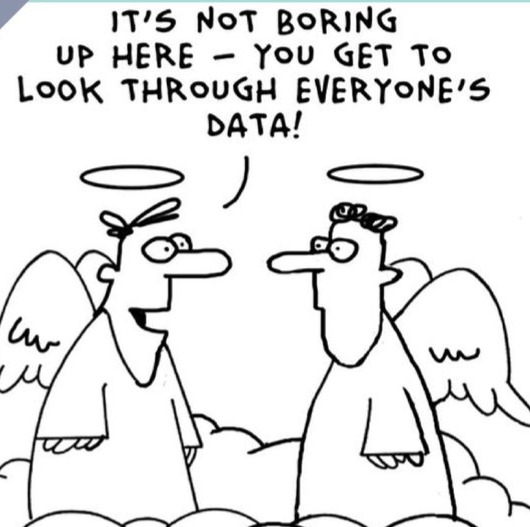
Why Is It Called “The Cloud”?
Because apparently “someone else’s extremely expensive computers connected to the internet” wasn’t catchy enough. The word cloud is a metaphor for computing resources whose physical location is hidden behind a network. The servers are not floating above your house. They live inside physical data centres containing servers, networking equipment, storage systems, cooling systems, backup power and security infrastructure.
When you open a cloud-based application, processing and storage may happen on remote infrastructure rather than entirely on your personal device. Your phone gets the result, while the cloud does much of the heavy lifting. Your phone then takes the credit. Classic workplace behaviour.
How Does Cloud Computing Work?
The process is surprisingly simple. Imagine opening a streaming app: you tap a movie, your device sends a request through the internet, the request reaches the provider’s servers, and the cloud infrastructure finds the information or performs the required computation. The result—such as a video, file, webpage or other information—is then delivered to your device.
You may think, “Wow, my phone is powerful.” No. Your phone is mostly a beautifully designed remote control with a camera addiction. The cloud infrastructure behind modern applications provides computing, storage, networking and other services that can scale according to demand.
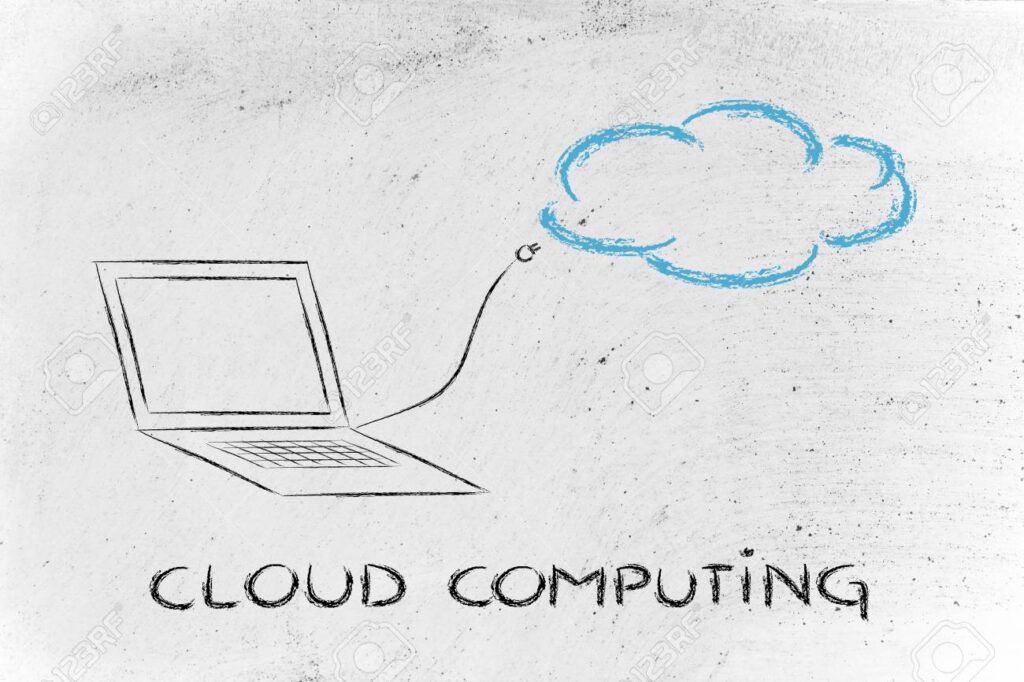
representation of how cloud computing actually works
What Are Some Everyday Examples of Cloud Computing?
You probably interact with cloud computing more than you realise. Google Drive stores documents and files remotely so you can access them from different devices. Netflix uses distributed computing infrastructure and data delivery to stream content. Spotify stores your music library and powers personalised recommendations. Gmail stores and manages your emails online rather than exclusively on your laptop. WhatsApp backups store conversations and media in cloud storage, depending on your settings and platform. Canva lets you create and edit designs through an online service without installing a large graphics application.
The common theme is simple: you access computing resources without personally owning and maintaining all the infrastructure required to provide them. That’s the real magic of cloud computing. Not magic—just infrastructure. Less exciting, much more useful.
What Are the Main Types of Cloud Computing?
Cloud computing is commonly classified in two ways. Deployment models describe where and how the cloud environment is operated, while service models describe how much of the technology stack you manage yourself. Because technology apparently couldn’t settle for one classification system, let’s look at both.
Public Cloud vs Private Cloud vs Hybrid Cloud
Public Cloud
A public cloud is infrastructure operated by a cloud provider and made available to multiple customers. Major providers include Amazon Web Services (AWS), Microsoft Azure and Google Cloud.
You don’t own the underlying data centre; you use resources provided by the cloud company. This model is popular because organisations can access computing resources without building massive infrastructure from scratch.
Private Cloud
A private cloud is designed for use by a single organisation. It can provide greater control over infrastructure, configuration, security policies and data. This can be useful for organisations with demanding regulatory, security or data-governance requirements.Think of it as Having your own house instead of sharing an apartment building. More control, more responsibility and more bills. Congratulations, you’ve become an adult.
Hybrid Cloud
A hybrid cloud combines public cloud resources with private cloud or on-premises infrastructure. Sensitive workloads might remain in a controlled environment while other applications use the scalability of public cloud infrastructure. Think of it as “We’ll keep the important stuff at home but order the rest online.”
Surprisingly practical.
What are IaaS, PaaS and SaaS without the corporate jargon?
IaaS gives you infrastructure, such as virtual machines, storage and networking. You get control, along with the responsibility of not breaking everything. PaaS gives developers a platform for building and deploying applications without managing every underlying system. SaaS gives you finished software that you simply use.
In short: IaaS is “build it,” PaaS is “develop it” and SaaS is “use it.” The more managed the service, the less time you spend arguing with servers.
Is the public cloud less secure than a private cloud?
Not automatically. Public cloud providers often invest heavily in security, infrastructure protection and monitoring. Private cloud environments may offer more direct control, but they also require the organisation to manage more of the security itself.
A private cloud is not automatically safer just because it has a more exclusive name. A locked house is still vulnerable if someone leaves the front door open.
IaaS — Infrastructure as a Service
IaaS gives you access to basic computing infrastructure such as virtual machines, storage, networking and computing resources. You get significant control, but you also have more responsibility.
Analogy:
You rent an empty house. The building exists; everything else is your problem.
PaaS — Platform as a Service
PaaS gives developers a platform for building, deploying and managing applications without requiring them to manage every piece of the underlying infrastructure.
Analogy:
Someone gives you a fully equipped kitchen. You just cook. You don’t spend the afternoon manufacturing the oven.
SaaS — Software as a Service
SaaS is the model ordinary users encounter constantly. You simply use the software while the provider manages the underlying infrastructure, application and updates.
Analogy:
You go to a restaurant, food arrives and you eat. You don’t walk into the kitchen and start debugging the refrigerator. That’s SaaS.
IaaS vs PaaS vs SaaS: What’s the Difference?
The IaaS model gives you infrastructure and requires more control and management. The PaaS model gives you a development platform, while your main responsibilities involve your application and data. The SaaS model gives you finished software, so your main responsibility is simply using it.
The easiest way to remember the difference is:
IaaS = Build it
PaaS = Develop it
SaaS = Use it
The more managed the service becomes, the less infrastructure you have to handle yourself.
Why Do Businesses Use Cloud Computing?
Building everything yourself is expensive, slow and occasionally the technological equivalent of constructing your own airport because you need to catch a flight. Cloud computing provides several major advantages.
Scalability
Imagine your website normally gets 1,000 visitors a day, then suddenly a post goes viral and attracts 10,000 or even 100,000 visitors. Your tiny server starts questioning every career decision that led it here. Cloud infrastructure can allow businesses to increase computing resources as demand changes.
Lower Upfront Infrastructure Costs
Traditional infrastructure can require businesses to purchase servers, storage, networking equipment, cooling systems, physical space, backup systems and maintenance. Cloud computing allows organisations to access infrastructure without purchasing all of it themselves.
That doesn’t mean cloud computing is automatically cheap. It means the cost model can be more flexible. Cloud bills can still become terrifying if someone forgets to turn off an expensive resource. The cloud giveth. The cloud sendeth invoices.
Faster Development
Developers can access computing resources without waiting weeks or months for physical infrastructure to be purchased, installed and configured. This allows businesses to experiment, build applications and deploy services faster, which is particularly useful for startups.
Basically:
You don’t need to own the factory to start selling the product.
Remote Access
Cloud-based services can make files, applications and computing resources accessible from different locations and devices, provided users have the necessary permissions and internet connectivity. This has become increasingly important for distributed teams and remote work.
Your office may be 800 kilometres away. Your Google Drive doesn’t care. Your boss, however, somehow still knows when you’re online.
Is Cloud Computing Secure?
Cloud computing can provide sophisticated security capabilities, including encryption, access controls, monitoring and infrastructure-level security. Major providers invest heavily in security because their business depends on customers trusting them with important workloads and data.
However, cloud computing does not magically eliminate security risks. You can still have weak passwords, poor access controls, misconfigured storage, phishing attacks, stolen credentials, data leaks, insecure applications and poor security practices.
Putting your data in the cloud doesn’t mean you’ve placed it inside an invincible digital Fort Knox. If someone gives their password to a scammer, the cloud provider cannot travel back in time and slap the password out of their hand. Technology has limits. Human stupidity remains remarkably scalable.
What Are the Disadvantages of Cloud Computing?
Cloud computing is powerful, but it is not perfect. Many cloud services require reliable internet connectivity, so without internet access, your productivity suddenly becomes a philosophical concept. Cloud services often use consumption-based pricing, which can become expensive if resources are left running unnecessarily. Organisations must also consider where data is stored, who can access it and which regulations apply. Moving applications and data between providers can be complicated, expensive and technically difficult, creating the risk of vendor lock-in. Cloud computing can simplify infrastructure management, but large cloud environments can become extremely complex. Ironically, the technology designed to simplify computing has created entire careers dedicated to explaining why your cloud bill is $4,800.
How Is Cloud Computing Connected to Artificial Intelligence?
Modern AI systems can require enormous amounts of computing power, storage, data, networking and specialised hardware. Training and running sophisticated AI models may require resources far beyond what an ordinary laptop can provide.
Cloud platforms offer scalable computing infrastructure, including specialised resources such as GPUs and TPUs for AI training and inference. So when people talk about the AI revolution, another question is hiding underneath:
Where is all that computing happening?
Very often:
The cloud.
This creates a strong connection between cloud computing and artificial intelligence. If you want to understand the other half of this relationship, read our guide:
How Artificial Intelligence Is Already Controlling Your Daily Life
AI isn’t only sitting inside futuristic robots. It’s already influencing what you watch, what you see, what gets recommended to you and what digital services decide to show you.
What Does Machine Learning Have to Do With the Cloud?
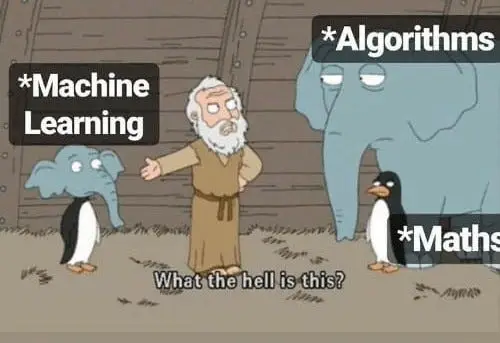
A lot. Machine learning systems learn patterns from data and use those patterns to make predictions or decisions. Machine learning also needs something humans have been producing at an irresponsible rate: data.
Processing huge datasets requires storage and computing resources. Cloud platforms can provide scalable infrastructure for storing data, training machine learning models and deploying them. This is one reason cloud computing has become an important foundation for modern AI and machine learning applications.
If the phrase “machine learning” still sounds like something invented to scare non-technical people, our guide explains it without turning your brain into an overheating laptop:
Machine Learning Explained for People Who Hate Math: How Machines Actually Learn
Once you understand that machine learning needs data, computing power and infrastructure, the connection between ML and cloud computing makes much more sense.
Is Cloud Computing Connected to AI Taking Jobs?
Indirectly, yes. Cloud computing provides infrastructure that allows organisations to deploy software, automation and AI systems at scale. AI can then automate certain tasks, analyse information and assist workers.
But here’s the important distinction:
Cloud computing doesn’t take your job.
The applications and automation running on cloud infrastructure can change how your job is performed. AI systems can automate repetitive tasks such as data processing, document classification, basic customer support, information summarisation, report generation, certain forms of content creation and routine analysis.
Our article on artificial intelligence and employment explores why the real issue isn’t simply “AI will take everyone’s jobs.” The bigger question is which parts of a job can be automated and which skills remain valuable.
Is Artificial Intelligence Taking Jobs or Just Exposing Bad Work?
Because apparently the future of work wasn’t stressful enough. Now your spreadsheet can compete with you.
What Is the Future of Cloud Computing?
The cloud is no longer simply about storing files online. It has become part of the infrastructure behind artificial intelligence, machine learning, big data, streaming, e-commerce, software development, remote collaboration, cybersecurity, automation and internet-connected services.
Cloud platforms are also increasingly connected with AI services and specialised computing infrastructure. Organisations are showing greater interest in hybrid and multicloud strategies as they try to balance flexibility, security, resilience, compliance and cost.
The future therefore isn’t simply:
“Everything will move to the cloud.”
It’s more complicated. Organisations will decide which workloads should run where, which data needs greater control, which services need massive scalability and which technology provides the best balance of cost, performance and security.
Which sounds very sensible, right up until someone creates another 47-slide PowerPoint explaining it.
Should You Learn Cloud Computing?
If you’re interested in technology, software development, cybersecurity, data, AI or IT infrastructure, learning the fundamentals of cloud computing is worth considering.
You don’t need to become a cloud architect tomorrow. Start by understanding what cloud computing means, learning how servers and data centres work, understanding IaaS, PaaS and SaaS, learning about public, private and hybrid clouds, understanding storage, networking and virtual machines, exploring one major cloud platform, learning basic cloud security, understanding how cloud computing supports AI and machine learning, building small practical projects and deciding whether you want to specialise.
Cloud skills can connect with careers in cloud engineering, DevOps, software development, cybersecurity, data engineering, AI/ML engineering, cloud architecture and infrastructure management.
Unlike memorising a hundred definitions for an exam, building something forces you to understand what the technology is doing. A shocking concept, we know.
Frequently Asked Questions About Cloud Computing
If the cloud is not actually a cloud, where is my data?
Usually, your data is stored in a data centre filled with servers, storage systems, networking equipment, cooling systems and backup power. In other words, your files are not floating above your house. They are sitting in a heavily secured building somewhere, probably surrounded by more security cameras than your local bank.
The word “cloud” simply hides the complicated physical infrastructure behind a convenient internet connection. Because saying “my files are stored on a remote server cluster in a climate-controlled facility” is less catchy than “it’s in the cloud.”
Is Google Drive cloud computing, or is it just a place where my files go to disappear?
Google Drive is cloud computing, specifically a cloud-based storage service. Your files are stored on remote infrastructure and can be accessed through the internet from different devices.
They have not disappeared. They are simply waiting for you to remember the filename you gave them. “Final_Final_ReallyFinal_v7” is not a search strategy.
Does using the cloud mean I no longer need a computer?
No. Your device still sends requests, displays results and provides the interface you use. The cloud simply handles much of the storage, processing and infrastructure behind the scenes.
So your laptop is still useful. It just may not be the genius you thought it was. Think of it as the receptionist directing your requests to a much larger office full of computers.
Is the cloud free?
Sometimes, but usually only up to a limit. Many cloud services offer free tiers, trials or limited storage. After that, you may pay based on storage, usage, bandwidth, computing power or additional features.
The cloud is generous in the same way a supermarket gives you a tiny free sample: enough to get you interested, not necessarily enough to live on.
Can the cloud run out of space?
Cloud storage can be expanded, but it is not infinite. Providers have physical limits, and customers pay for the amount of storage they use.
Your personal storage limit may feel enormous until you upload years of videos, duplicate photos and screenshots of conversations you never actually read again. The cloud can hold a lot, but apparently so can your inability to delete anything.
What happens if the internet goes down?
Access to many cloud services may be interrupted or limited. Some applications offer offline features, but services that depend entirely on remote servers may stop working until your connection returns.
This is why people suddenly discover they have no idea what to do when the Wi-Fi fails. Apparently, conversation was removed in the latest software update.
Is cloud computing secure, or am I just handing my data to strangers?
Cloud computing can be highly secure, but security depends on both the provider and the customer. Providers may offer encryption, monitoring, access controls and specialised security teams. Users still need strong passwords, multi-factor authentication, sensible permissions and secure applications.
So yes, your data may be stored by a company you do not personally know. But the bigger immediate threat may still be the person who uses “password123” for every account and then blames the cloud.
Can cloud providers see my files?
It depends on the service, its encryption model, its policies and the type of data involved. Some services offer strong encryption and privacy controls, while others may be able to access data under certain circumstances.
The important lesson is to understand the provider’s privacy policy, security settings and encryption practices. If you would panic after seeing the data printed on a billboard, perhaps do not upload it casually and assume the cloud has signed a confidentiality agreement with your soul.
Why did my cloud bill suddenly become enormous?
Usually because a resource was left running, usage increased, data transfer costs appeared, storage expanded or someone clicked a button labelled “maximum performance” without reading the price.
Cloud computing is flexible, scalable and wonderfully convenient. It is also perfectly capable of charging you for every minute your expensive virtual machine spends doing absolutely nothing. Set budgets, alerts and automatic shutdowns before your cloud account starts earning more than you do.
What is the difference between cloud storage and cloud computing?
Cloud storage is one type of cloud service used to store files and data remotely. Cloud computing is the broader concept, covering servers, processing power, databases, networking, software, storage and other digital resources.
Cloud storage is one room in the house. Cloud computing is the entire house, including the kitchen, plumbing, electrical system and the mysterious cupboard nobody is allowed to open.
What are IaaS, PaaS and SaaS without the corporate jargon?
IaaS gives you infrastructure, such as virtual machines, storage and networking. You get control, along with the responsibility of not breaking everything.
PaaS gives developers a platform for building and deploying applications without managing every underlying system.
SaaS gives you finished software that you simply use.
In short: IaaS is “build it,” PaaS is “develop it” and SaaS is “use it.” The more managed the service, the less time you spend arguing with servers.
Is the public cloud less secure than a private cloud?
Not automatically. Public cloud providers often invest heavily in security, infrastructure protection and monitoring. Private cloud environments may offer more direct control, but they also require the organisation to manage more of the security itself.
A private cloud is not automatically safer just because it has a more exclusive name. A locked house is still vulnerable if someone leaves the front door open.
Why does AI need the cloud?
AI systems can require large amounts of computing power, storage, data and specialised hardware such as GPUs. Cloud platforms allow organisations to access these resources without buying and maintaining an entire data centre.
Your laptop may be excellent for browsing, writing documents and collecting tabs you will never read. Training a massive AI model is a slightly more ambitious request.
Will cloud computing take my job?
Cloud computing itself will not walk into your office, take your chair and update your LinkedIn profile. However, applications and AI systems running on cloud infrastructure can automate certain tasks and change how jobs are performed.
The real question is not simply whether technology replaces jobs. It is which tasks become automated, which skills become more valuable and whether your spreadsheet has quietly become your most efficient colleague.
Is cloud computing difficult to learn?
The basics are manageable. You can begin with storage, servers, networking, virtual machines, IaaS, PaaS, SaaS and basic security.
The advanced topics—distributed systems, containers, automation, databases, identity management and cloud architecture—can become much more complex. Start small. Nobody needs to understand the entire internet before deploying a simple application. Otherwise, every website would still be waiting for its first developer to finish reading.
Should I learn AWS, Azure or Google Cloud first?
Any major platform can teach you valuable cloud concepts. AWS has a large ecosystem, Azure is widely used by organisations already invested in Microsoft products, and Google Cloud is strong in areas such as data and machine learning.
The best choice is often the platform with the clearest beginner resources, affordable learning options or the strongest connection to the type of work you want to do. In other words, choose one and start learning instead of spending six months comparing logos.
Can I learn cloud computing without knowing how to code?
Yes. You can learn cloud fundamentals, storage, networking, security, virtual machines and basic administration without becoming a full-time programmer.
However, coding and scripting become increasingly useful as you move into cloud engineering, DevOps, automation, data engineering or AI. You do not need to write perfect code on day one. You simply need to stop treating the command line like it is an ancient curse.
What is the biggest mistake beginners make with cloud computing?
Many beginners try to learn every service at once. Cloud platforms offer thousands of tools, which is impressive until you realise half of them sound like rejected names from a science-fiction film.
Start with the fundamentals, choose one platform, build a small project and learn how the pieces connect. You do not need to memorise every service. Even cloud professionals use search engines. They just do it with more confidence.
Final Verdict: The Cloud Is Not Somewhere Above You
Cloud computing sounds mysterious because the name makes it seem as though your data has been launched into the atmosphere. It hasn’t. It’s still sitting on physical computers, just not necessarily your computer.
The real achievement of cloud computing is that individuals and businesses can access enormous amounts of computing infrastructure without personally buying, installing and maintaining all of it. It has changed how applications are built, how businesses scale and how modern AI and machine learning systems operate. It has also made your digital life remarkably dependent on infrastructure you probably never think about.
You don’t need to become a cloud engineer to understand it, but knowing what happens behind the screen is increasingly useful. The next time someone says:
“Everything is in the cloud.”
You can finally respond:
“Yes. And I know what that actually means.”
Meanwhile, your photos are still floating nowhere. They’re sitting in a data centre, probably next to someone’s abandoned cryptocurrency project. And yes, that’s somehow the future.




…